Leave Your Message
DS-720mm Vinyl Cutting Plotting PVC Sticker HTV Film Cut Graph Cutting Plotter Machine
Cutting plotter

DS-720mm Vinyl Cutting Plotting PVC Sticker HTV Film Cut Graph Cutting Plotter Machine

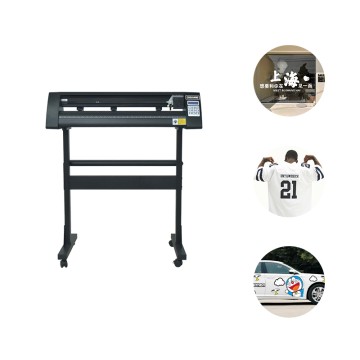
The DS-720mm Vinyl Cutting Plotting is a high-quality, precision cutting device designed for a variety of material cutting and plotting needs. This machine is specifically engineered for cutting vinyl, PVC stickers, HTV film, and other materials, making it an ideal tool for signage, apparel design, and other graphic applications.

  • Model item DSA-J721 Cutting plotter
  • Max.paper width 720mm
  • Max.cutting width 630mm
  • Gross Weight 19.42kg
  • Packing Size 95*34*40.5
DSA-J-Cutting-Plotter-detail-page

Effect display

Engraving machine through the computer issued instructions, used to carve a variety of graphics, text on the engraving film. Common language advertising signs, car stickers, clothing, gift customization and other fields.
car sticker,thick plate lettering film,T-shirtwallpaper,Windows film,Phone caseword sticker,label sticker,cup diy

Detail Display

Cutting device

Cutting device
Through the control of Signmaster software of computer, the pattern type to be cut is output, and the cutting plotter directly cuts the graphics on the lettering film.

Multi-interface
The Cutting plotter transfers data to a computer over a data cable, with a choice of USB and COM ports.

Multi-interface

Operation interface

Operation interface
Microcomputer + button operation interface, Cutting plotter after boot, you can use buttons to command according to demand.

Paper weight
The press foot is mainly used to fix Cutting Vinyl, making the Cutting more accurate, and the reasonable use of Cutting Vinyl can save more materials.

Paper weight

product Parameter

Model item DSA-J721 Cutting plotter
Max.paper width 720mm
Max.cutting width 630mm
Gross Weight 19.42kg
Packing Size 95*34*40.5
Interface Serial+USB port
Memory 1M   (4M optional)
Command set DMPL/HPGL
Power supply AC90V~AC240V
Working Environment 5C °  -35C °,5%-95% (Non Condens ation)
Compatible system Windows XP  /   Windows Vista  /   Windows7  /   Windows8 (32bit & 64bit)
Applicable software Flexistarter10.5  /  Signmaster Cut   /   Coreldraw  /   Artcut

Other Parameter

Model item

DSA-J365

DSA-J721

DSA-J871

DSA-J1101

DSA-J1351

Max.paper width

360mm

720mm

870mm

1100mm

1350mm

Max.cutting width

270mm

630mm

780mm

1010mm

1260mm

Gross Weight

9.76kg

19.42kg

21.97kg

25.5kg

30.22kg

Packing Size

60*34*35.5

95*34*40.5

110*34*40.5

133*34*40.5

158*34*40.5

Interface

Serial+USB port

Memory

1M   (4M optional)

Command set

DMPL/HPGL

Power supply

AC90V~AC240V

Working Environment

5C °  -35C °  ,    5%-95% (Non Condens ation)

Compatible system

Windows XP  /   Windows Vista  /   Windows7  /   Windows8 (32bit & 64bit)

Applicable software

Flexistarter10.5  /  Signmaster Cut   /   Coreldraw  /   Artcut

process          

Design patterns and text through software. Connect the computer with the Cutting plotter with a data cable, install the cutting knife and the materials to be cut, adjust the image, parameters and other data, and test can be carried out before the start. After the test is completed, the cutting can be formally started.
Cutting-Plotter-working process

Company display

Cutting-Plotter-Factory

Exhibition display

South Africa exhibition, photo with customers
Dubai exhibition, photo with customers
Customers visit us at the factory

FAQ              

What can we do for you?
We are a professional advertising equipment manufacturer, providing DTF Printer, UV DTF Printer, Cutting plotter, Eco Solvent Printer, etc. With a professional technical team, excellent business service team. You can tell us your needs here, and we will recommend better products for you. As for the film needed for Cutting plotter, we can provide it according to your needs.

This section describes the Cutting plotter usage process
1. First install the engraving machine;
2. Connect the communication cable provided to the engraving machine and the computer;
3. open the power engraving machine and computer power;
4. the carving knife or drawing pen into the carving knife holder;
5. place the medium, according to the individual needs to choose reflective film, instant stickers, wall stickers, paper, kraft paper;
6. set parameters, including coordinate origin, knife or pen speed, knife or pen pressure;
7. test engraving, first press the "offline" key, and then press the "acceleration" key or "deceleration" key at the same time, you can test engraving;
8. the computer transmits data, you can start the formal engraving.

Leave Your Message